The Art and Technology Behind Immersive VR Games
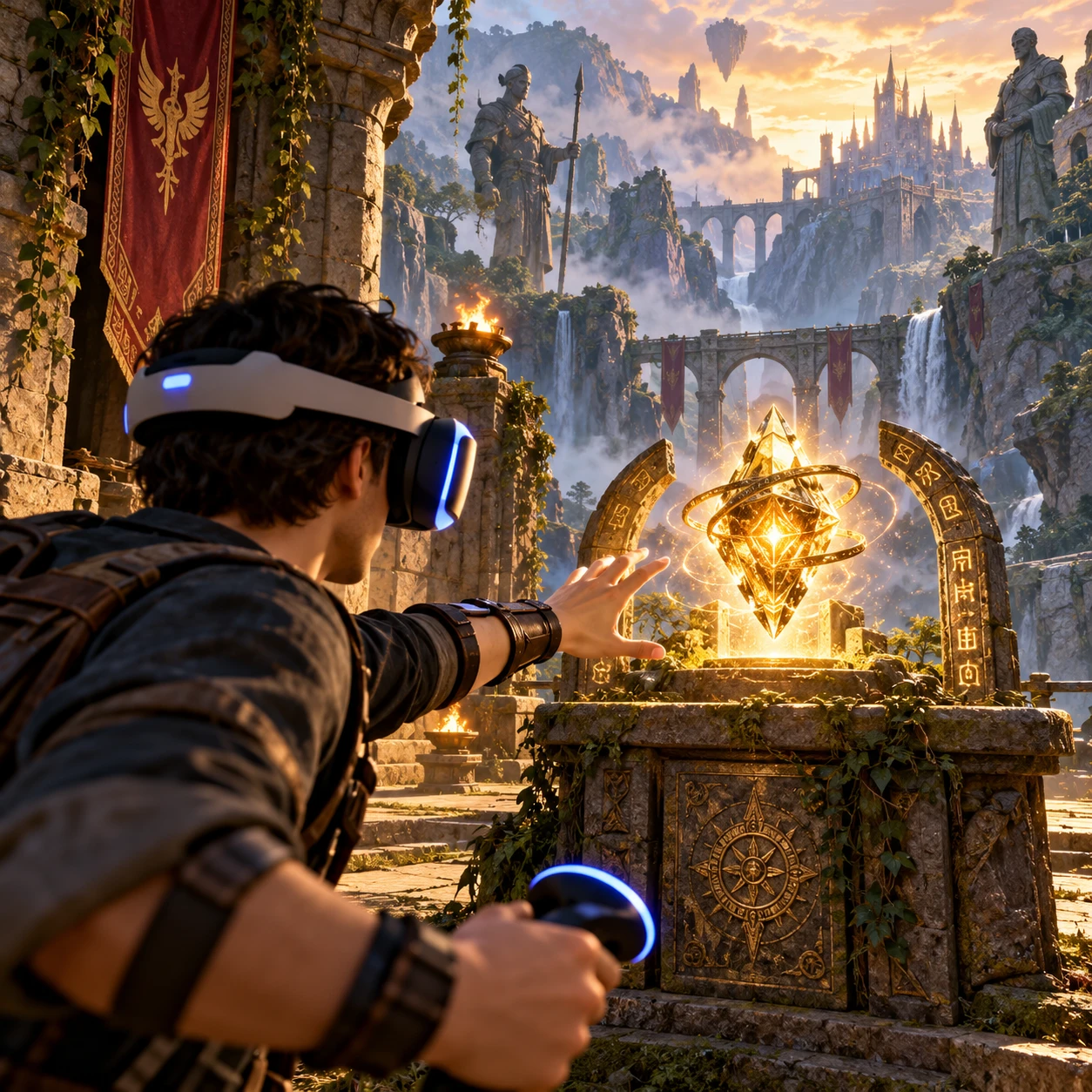
A virtual reality game can place a player inside a castle, cockpit, or alien landscape, but a convincing setting alone does not make the experience immersive. The strongest VR games bring together artistic choices and technical systems so the world responds naturally to where players look, move, and reach.
That takes more than sharp graphics. Game design, interaction design, motion tracking, spatial audio, haptics, and comfortable locomotion must support the same experience. When they do, players stop thinking about the headset and start focusing on what they are doing inside the game.
What Makes a VR Game Feel Immersive?
An immersive VR game creates a sense of presence: the feeling that you are in the virtual world. It builds that feeling through meaningful actions, consistent feedback, and a world that reacts in ways players can understand.
Three qualities work together: presence, agency, and responsiveness. Presence comes from the view and sound surrounding the player. Agency means players can make decisions and see their choices matter. Responsiveness connects the two: when you lean toward a shelf, the view shifts with you; when you drop a cup, it falls and lands as expected.
Small mismatches can break the illusion. If a virtual hand passes through a table, a door opens before a hand reaches its handle, or sound seems detached from its source, players notice the gap between their body and the game world. A simple interaction that behaves reliably often feels more convincing than a complex one that works inconsistently.
Designers can use a practical test: Does the world notice the player? A character who turns toward a spoken greeting, a mechanism that responds to a real pull, or a creature that reacts to a nearby movement helps make the environment feel present rather than staged.
The Artistic Foundations of a Believable World
A believable VR world uses visual style, scale, atmosphere, and environmental storytelling to make players feel oriented and involved. The art should guide attention while giving the environment enough detail to reward exploration.
Scale has unusual force in VR because players judge objects against their own bodies. A towering tree can feel awe-inspiring when its trunk rises overhead; a table that sits too high can feel wrong even if its textures are beautiful. Artists should check proportions from the player’s eye height and consider how close players can approach objects.
Visual style also shapes comfort and clarity. Bold silhouettes and controlled contrast can make interactive objects easy to identify without covering every surface in glowing outlines. A stylized world may be easier to read and less demanding to render than a photorealistic one. The trade-off is that a strong style needs consistency: materials, lighting, and animation must all belong to the same visual language.
Environmental storytelling lets players infer what happened without stopping for a long explanation. A chair knocked over beside a cold fireplace, a trail of muddy footprints, or a half-packed bag can suggest a story through the space itself. In VR, players may inspect these details from different angles, so place important clues where they can be seen without forcing uncomfortable crouching or awkward reaches.
Designing Natural VR Interactions
Natural VR interactions match a player’s physical actions to clear results in the game. Hands, VR controllers, object handling, and feedback should make it obvious what can be touched and how an action works.
Start with the action, not the input device. If players need to open a drawer, reaching for the handle and pulling is usually easier to understand than pressing an unrelated button. Yet realistic movement is not always the best choice: a small object may need a generous grab zone, and a long sequence of hand motions can become tiring.
Good interaction design accounts for differences in reach, precision, and experience. Use clear affordances, such as a handle shape that invites grabbing, and provide a forgiving margin around targets. When a player picks up a tool, keep its grip stable and make its working end predictable. Avoid requiring repeated fine movements for routine tasks.
- Show what is interactive: Use shape, placement, animation, or subtle highlights to distinguish useful objects from background scenery.
- Confirm the action: Combine visual movement, sound, and optional haptics when a button clicks, a latch releases, or an item is collected.
- Make failure legible: If an object cannot be reached or used, communicate why instead of leaving players to guess.
Feedback should fit the material and action. A short controller vibration can suggest a switch engaging, while a soft sound can confirm a container has closed. Haptics are most useful as a supporting cue; they cannot reproduce the full sensation of weight, texture, or impact.
The Technology That Brings VR to Life
VR technology makes an immersive game possible by tracking movement, rendering a responsive view, placing sound in space, and returning feedback through controllers. These systems matter because players experience their combined effect, not each feature in isolation.
Motion tracking follows the headset and, where supported, the player’s hands or controllers. As the player turns or leans, the camera must update in step. Accurate tracking helps preserve the link between physical movement and the virtual view; occlusion, poor calibration, or delayed response can weaken that link.
Rendering creates the image seen through the headset. A game must draw two views and keep updates responsive, which makes performance optimization a design concern as much as a programming task. Developers may simplify distant geometry, reduce effects that add little to the player’s view, or use level-of-detail systems that lower detail on faraway objects. The goal is stable, clear imagery, not maximum visual complexity everywhere.
Spatial audio gives sounds a position and direction, helping players locate a teammate, approaching creature, or hidden mechanism. A sound that grows louder as its source gets closer can guide attention without a marker on screen. Haptics add another channel through controller vibration, while visual and audio cues remain essential for players who cannot feel or use that feedback.
Every technical choice carries a cost. Detailed lighting can strengthen atmosphere but increase rendering work; elaborate physics can make objects feel responsive but introduce unpredictable behavior. Teams should prioritize the systems that support the central play experience.
Movement, Comfort, and Accessibility
Comfortable VR movement gives players ways to travel through a game without making the virtual view conflict sharply with their physical sensations. The right locomotion options depend on the game, the player, and the space available.
Common choices include teleportation, smooth artificial movement, and room-scale movement within a tracked area. Teleportation can reduce discomfort for some players, though it may interrupt momentum or make precise navigation harder. Smooth movement supports continuous travel, but some players find it uncomfortable because the game moves while their body remains still. Room-scale movement feels direct, yet it is limited by the player’s physical space.
Offer meaningful settings rather than assuming one mode suits everyone. Useful options may include adjustable movement speed, snap or smooth turning, a vignette that narrows the view during motion, seated play, and customizable controls. Explain settings plainly and let players try them early, before they have invested time in the game.
Motion sickness can occur when visual motion and signals from the body do not agree. Developers can reduce risk with responsive tracking, stable frame delivery, restrained acceleration, and interfaces that remain anchored consistently. These measures help, but no setting can guarantee comfort for every person. Provide pause points and let players stop or change movement modes without losing progress.
Bringing Art and Technology Together
Art and technology come together through repeated testing: build a small experience, watch players use it, and revise the parts that feel unclear, uncomfortable, or unconvincing. Early iteration helps teams catch problems before they spread across a full game.
A useful prototype might contain one room, one grabbable object, and one movement route. Test whether players notice the object, understand how to pick it up, and can reach the next area comfortably. If they keep missing a handle, the answer may be a larger interaction zone, a clearer shape, or a different position, not a tutorial paragraph.
Observe behavior as well as asking for opinions. Do players lean toward a sound? Do they reach for scenery that looks interactive? Do they turn their bodies instead of using the intended control? Those actions reveal where visual design, interaction rules, and technical behavior disagree.
Keep a short iteration loop: define the intended feeling, choose the visual and mechanical cues that support it, test with players, then adjust. For example, if a puzzle should feel tense, designers might use a narrow space and distant spatial audio, while engineers ensure the sound remains correctly positioned and the view stays responsive. Each change should serve both the creative goal and the player’s comfort.
Frequently Asked Questions
What makes a VR game immersive?
A VR game feels immersive when its world responds consistently to player movement and actions. Presence, agency, clear feedback, believable scale, and well-positioned sound all contribute.
How do VR games track player movement?
VR systems track the headset and often the controllers using sensors and cameras, depending on the hardware. The game uses that movement data to update the player’s view and virtual hands.
Why can VR games cause motion sickness?
Discomfort can happen when the eyes perceive movement that the body does not feel, or when tracking and visual updates are inconsistent. Locomotion options, stable performance, and adjustable comfort settings can help, though individual responses vary.
What role does spatial audio play in VR?
Spatial audio makes sounds seem to come from specific locations in the virtual world. It helps players orient themselves, notice events outside their field of view, and feel more connected to the environment.